f1devbin
A cartoon cat in a penguin costume pointing at the greeting

Hi, I’m Max

I trained as a programmer and have worked as an electronics engineer for many years. Most of the software I write is for myself, for problems I actually run into.

When a tool turns out to be useful to other people too, I tidy it up, write tests and documentation and publish it.

Oh, and I love cats. This one in the penguin costume lives in the icon of my KDE widget.

My projects

Crypto Research Labs

An open lab where I test crypto trading ideas and publish every result, failures included.

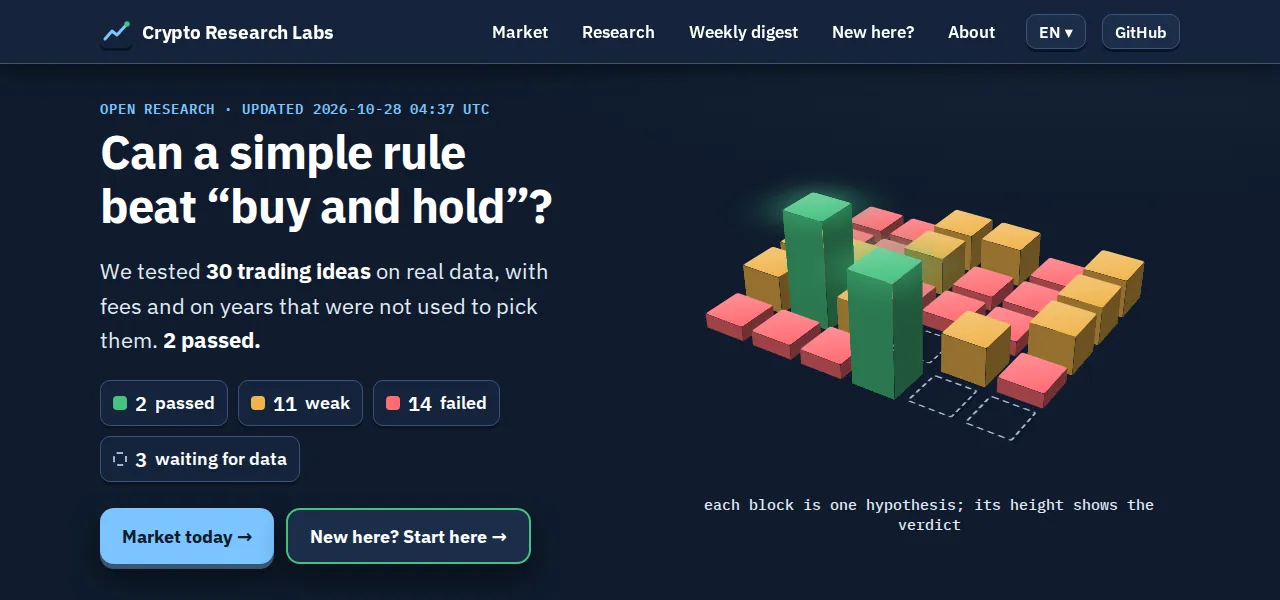
It started with my own trading bot. When I replayed its 7,649 signals on real prices, it called the direction worse than a coin toss. Luckily, it only ever traded on a test exchange. Instead of tuning it until the backtest looked good, I built a lab where that trick doesn’t work: each idea is written down and sealed with a hash before it is tested, fees are always included, and GitHub Actions re-test everything on new data on a schedule. Most ideas fail, and the failures are written up as carefully as the passes.

The methodology explains how a test works, the research page lists every result, and there’s a beginners’ course in seven languages.
Open the dashboard Source code

Crypto Research Labs dashboard: 30 trading ideas tested, 2 passed
The dashboard on 28 October 2026.

Telegram Bot Manager

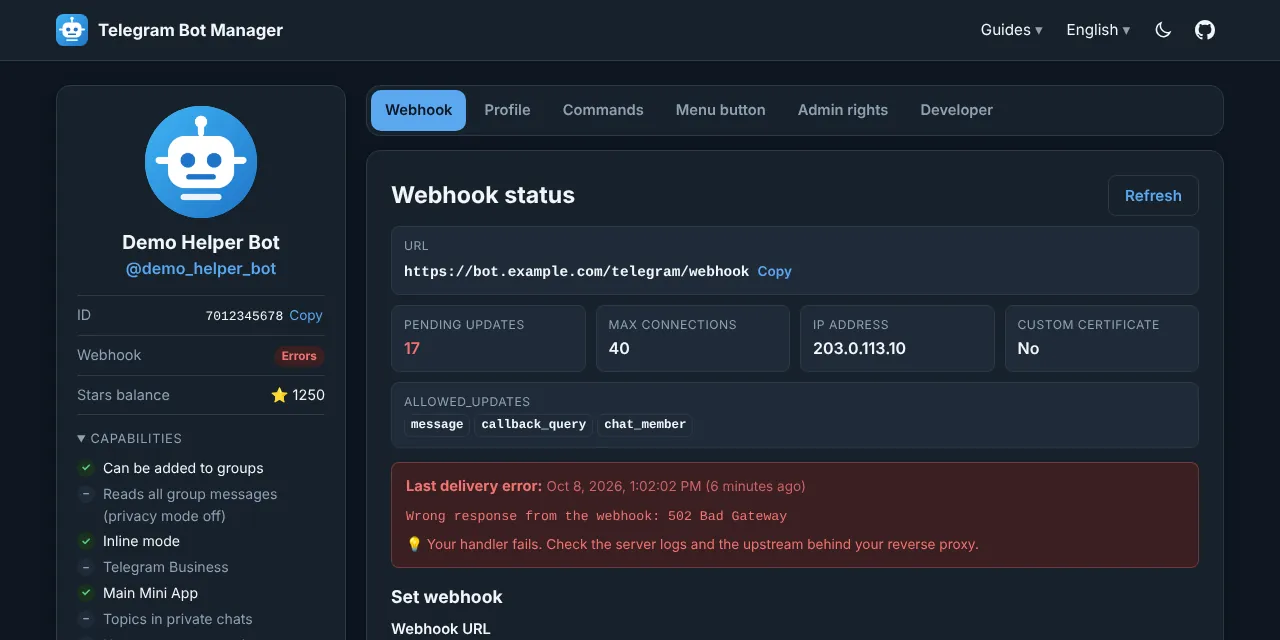
A free page for setting up a Telegram bot right in the browser: webhooks, commands, name and description, avatar, menu button and admin rights.

I run several bots of my own, and every webhook change used to mean another curl command with the bot token typed into a terminal. Now it takes a few clicks. There is no server behind the page. Requests go from your browser straight to Telegram, the token stays in the open tab unless you ask the browser to remember it, and a strict Content Security Policy keeps outside scripts off the page. No analytics, no counters. It works in five languages and on a phone.

There are step-by-step guides on how to set a webhook, check it with getWebhookInfo and delete it, and on the bot commands editor. How the token is protected is described in the README under Privacy and security.

Open Bot Manager Source code

Telegram Bot Manager: webhook status of a demo bot with its last delivery error
A demo bot. Everything in the screenshot is example data.

My IP & Geo

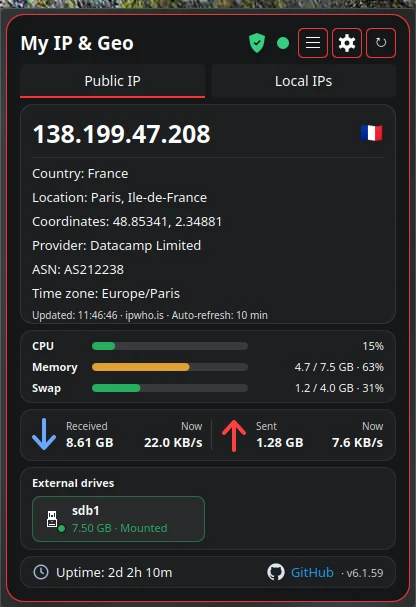
A KDE Plasma 6 widget: your public IP and country, local interfaces, a network scanner with port scan, diagnostics, a speed test, traffic per app and a device monitor.

I wanted to see at a glance which country I go online from and whether the VPN is really on. Over time the tools I used to run in a terminal moved in as well. When the internet drops, the diagnostics tell you in plain words where the chain broke: the connection, the router, DNS or somewhere further. On Kubuntu it needs no root rights and nothing extra to install, and there is no telemetry.

Every outside service it talks to, and why, is listed in the README.

Download the widget Source code

My IP & Geo widget: public IP, location, provider, system load and traffic
The address in the screenshot belongs to a VPN server.

How I work

I don’t write anything in a README that I haven’t checked myself. In the lab the checking is part of the method, and the other projects have automated tests that run on GitHub Actions with every change.

My projects don’t collect anything about you. There are no analytics, cookies or ads, and this page doesn’t load anything from other sites either; its source code shows it.

All the code is open under the MIT license. I keep the documentation up to date and answer questions and bug reports.

What I work with

Languages
PHP 8, Python, JavaScript, QML
Databases
MariaDB, SQLite
Servers and CI
Ubuntu, Armbian, Nginx, systemd, GitHub Actions

Get in touch

Questions, bug reports and ideas are welcome in the issues of the project: Crypto Research Labs, Telegram Bot Manager, My IP & Geo. Russian is my native language and English is fine too. You can also write in your own language; I’ll use a translator.